
US 48 States Only.
Tax Free Outside CA.
US 48 States Only.
Tax Free Outside CA.
US 48 States Only.
Tax Free Outside CA.
US 48 States Only.
Tax Free Outside CA.
Sold out
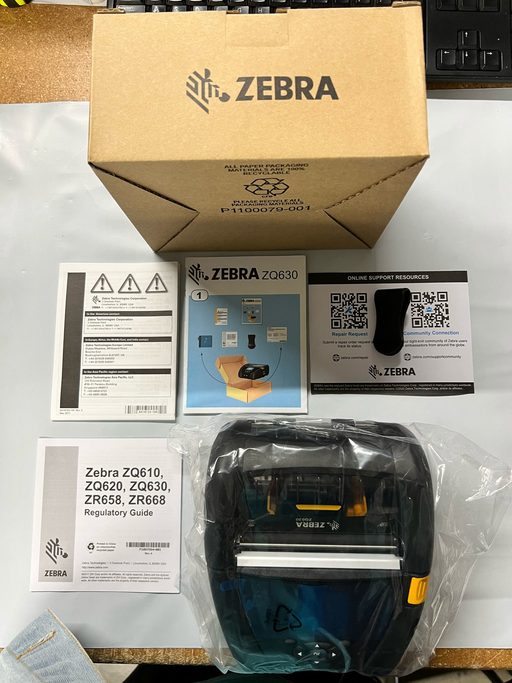
ZQ630 RFID Mobile Printer 4"/104mm RFID; English/Latin fonts, Dual 802.11AC / BT4.x, Linered platen, 0.75" core, Group 0, Belt clip Conditio...
View full details
Sold out
ZQ630 RFID Mobile Printer 4"/104mm RFID; English/Latin fonts, Dual 802.11AC / BT4.x, Linered platen, 0.75" core, Group 0, Belt clip
Sold out
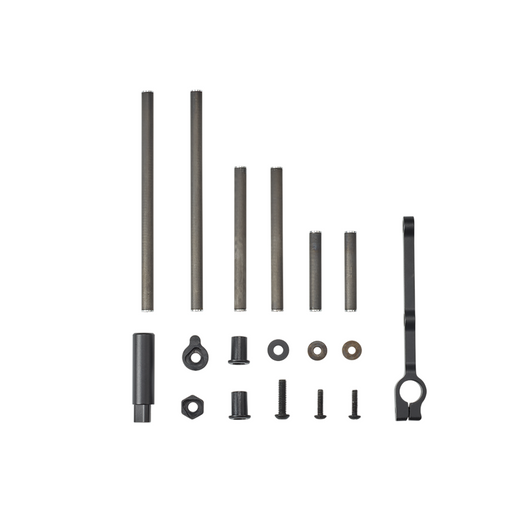
The Quiver Conversion Kit allows you to convert the VRSA Light (AQ745) into a 2-piece arrow quiver. The kit includes everything you need to mount t...
View full details
Sold out
The Zebra QLN 420 Direct Thermal Mobile Printer with Apple iOS certification prints monochrome labels up to 4.1" wide at 203 dpi (8 dots/mm) for th...
View full details
Sold out
Brand: ZEBRA Connectivity Technology: Wired, Ethernet Printing Technology: Thermal Special Feature: Monochrome Printer Output: Monochrome Co...
View full details
Sold out
Brand: ZEBRA Printing Technology: Inkjet Model Name: ZT22042 Printer Output: Monochrome Max Input Sheet Capacity: 250
Save 91%
The Zebra Docking Cradle can charge one Lithium-ion battery at a time and features an Ethernet interface. Connectivity Technology: Wired ...
View full details
Save 81%
Zebra's user-friendly QLn mobile printers help you print barcode labels and more, wherever and whenever needed. Optimized for high duty-cycle label...
View full details
Sold out
Easy to use: Connects via USB and is compatible with media rolls that have a 1 in core, a max diameter of 5 in, and a max width of 4.25 in The...
View full details
Sold out
Connectivity Technology USB, Ethernet Printing Technology Thermal Special Feature Wireless Model Name ZD41H23 D00EZ Printer Output Monochrome...
View full details
Sold out
The ZT410 Series printers are rugged and loaded with a standard set of advanced features allowing for use in the widest array of Manufactur...
View full details
Sold out
The ZQ600 Series takes Zebra’s popular QLn platform and makes it even better — adding advanced technology and innovative design that drive producti...
View full details
Sold out
The ZQ600 Series takes Zebra’s popular QLn platform and makes it even better — adding advanced technology and innovative design that drive producti...
View full details
Sold out
Zebra ZD621 HC - Health care Desktop Label Printer, Zebra ZD621 HC, Direct thermal, 203 dpi, 8 ips, USB/USB Host/Ethernet/Serial/Bluetooth, 4-inch...
View full details
Sold out
Direct Thermal Printer provides you with all the features that you need to print quickly and easily Enjoy the optimal performance in today's on-...
View full details
Sold out
Easy to use: Connects via Ethernet, Serial, USB and is compatible with media rolls that have a 1 in core, a max diameter of 5 in, and a max width...
View full details
Sold out
Easy to use: Connects via Wifi, Bluetooth, Ethernet, Serial, USB and is compatible with media rolls that have a 1 in core, a max diameter of 5 in...
View full details
Sold out
The standard three-button user interface with five LED status icons replaces the typical single button/single light interface common in desktop p...
View full details
Sold out
Easy to use: Connects via Wifi, Bluetooth, Ethernet, Serial, USB and is compatible with media rolls that have a 1 in core, a max diameter of 5 in...
View full details
Sold out
Easy to use: Connects via Ethernet, Serial, USB and is compatible with media rolls that have a 1 in core, a max diameter of 5 in, and a max width...
View full details
Sold out
Easy to use: Connects via Wifi, Bluetooth, Ethernet, Serial, USB and is compatible with media rolls that have a 1 in core, a max diameter of 5 in...
View full details
Sold out
Zebra's ZD620 4-Inch Performance Desktop Printers provide maximum print quality, efficiency and manageability. The next generation in Zebra's deskt...
View full details
Sold out
Battery Model No: BTRY-MPM-22MA1-01 Capacity: 2200mAh Standard Voltage: 7.2V
Sale
You have copied the placement for the Product Page.
Go back to the App Embeds section, and in the Paypal Advanced Settings, paste the copied value into the Product Page field and click the 'Save' button in the top right corner.